
Table Builder Quickstart Guide
In this quickstart guide, we will dig into a fictional scenario that highlights the different functionalities and capabilities of the DrugBank Table Builder.
💡A researcher interested in the protein Akt as a drug target. By using a drug screening assay on different types of cancer cells, she identified several compounds that inhibit the three different Akt isoforms with varying strengths. Although this is early-stage research, she wants to know more about other Akt inhibitors, their approval status, and their performance in clinical trials.
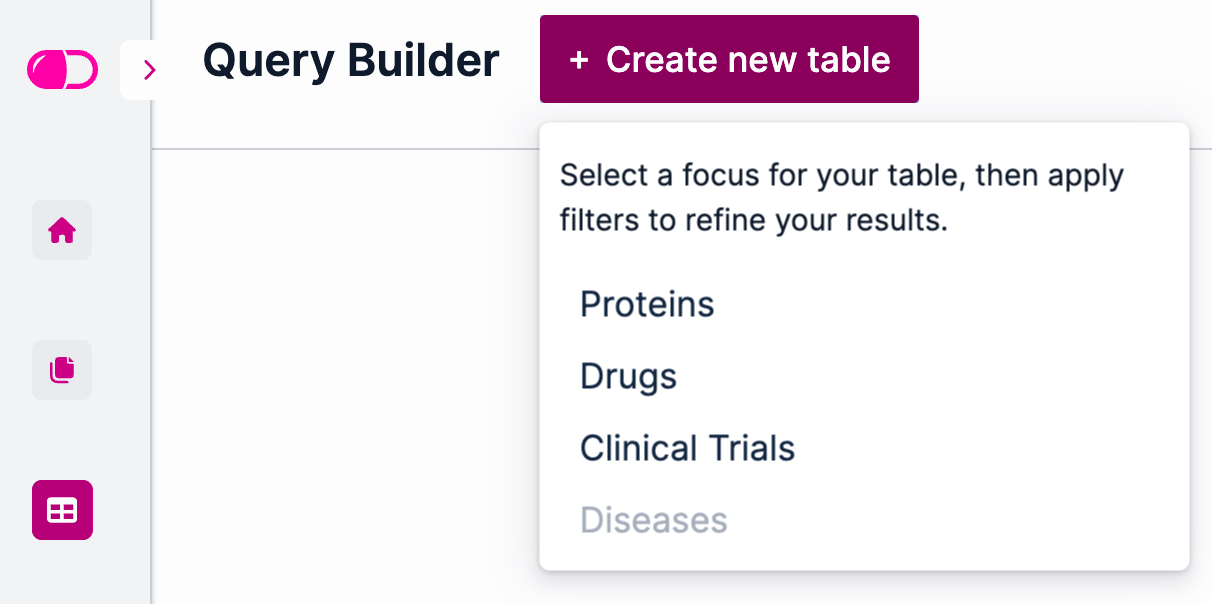
In the Table Builder, we will create a new table focused on proteins by clicking the “Create new table” button and selecting “Proteins” from the drop-down menu:
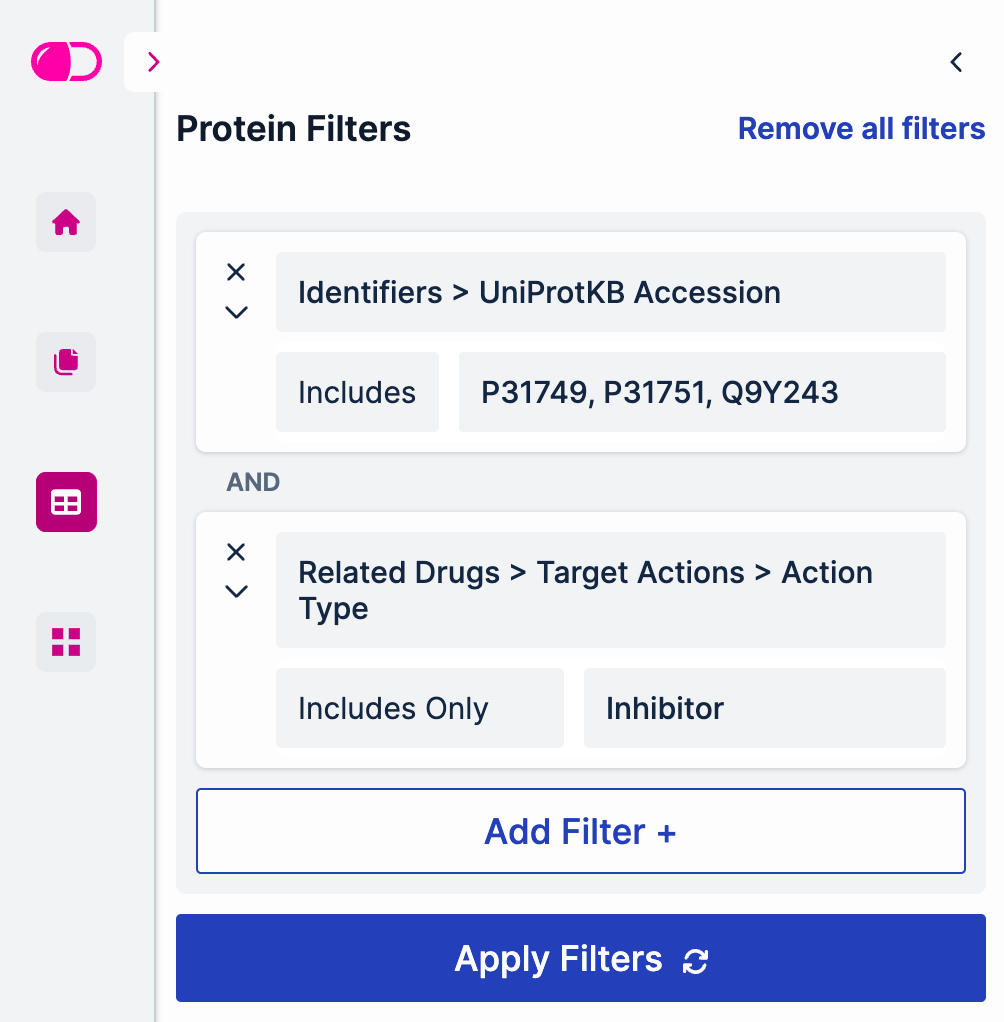
First, we will filter out the 3 Akt isoforms we are interested in: Akt1, Akt2 and Akt3, also known as RAC-alpha, RAC-beta and RAC-gamma serine/threonine-protein kinase. We can filter out these 3 proteins using the Protein Details > Protein Name filter and typing in the name of each of them, or we could also enter the UniProtKB accession numbers using the Identifiers > UniProtKB Accession filter (as shown in the example below). Then, since we are only interested in Akt inhibitors, we will use the Related Dugs > Target Actions > Action Type filter and select “Includes Only” and “Inhibitor”:
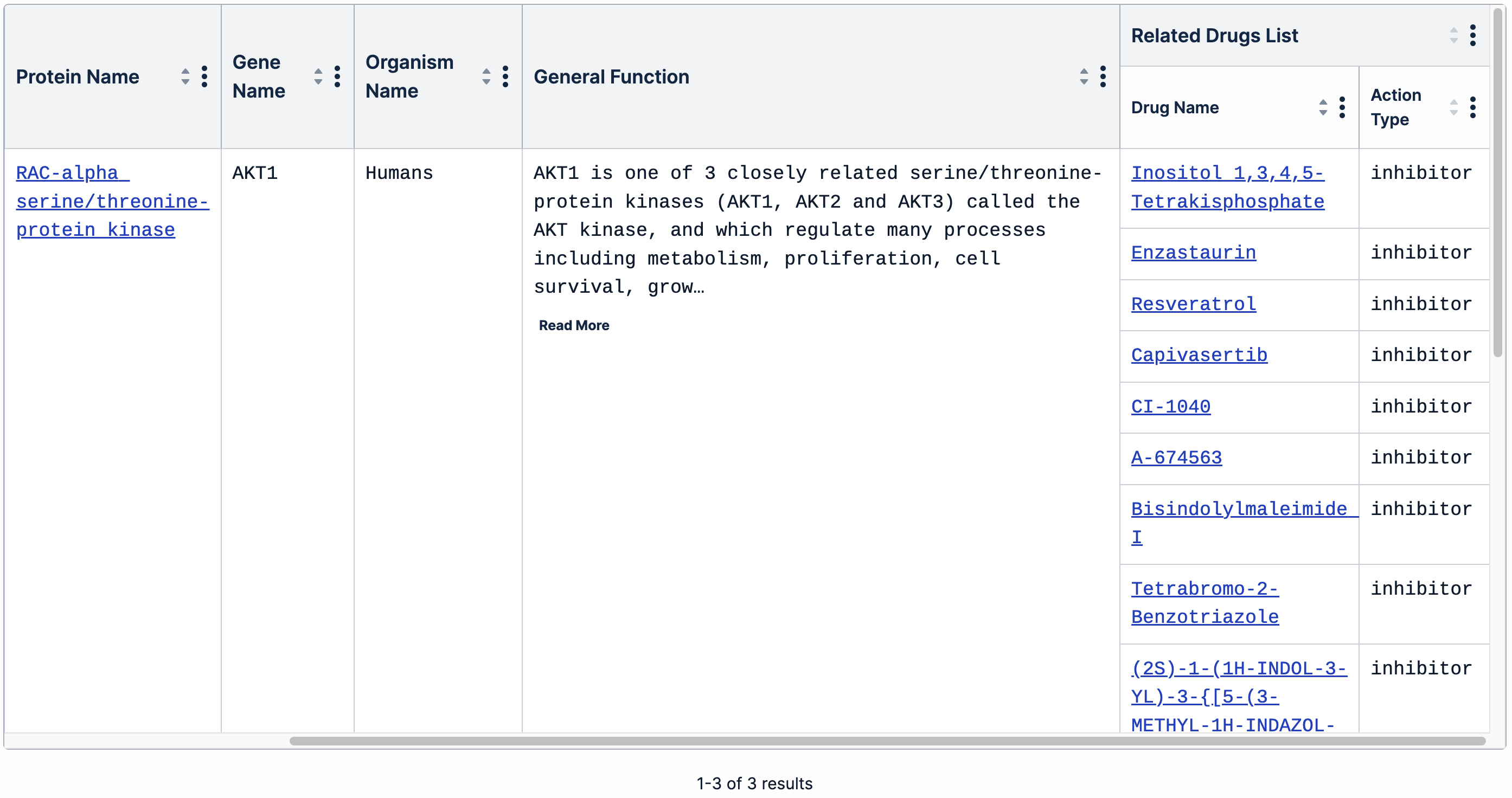
Click the “Apply Filters” button to update the table. It will now only include Akt1, Akt2 and Akt3, as well as a list of drugs reported to inhibit these proteins:
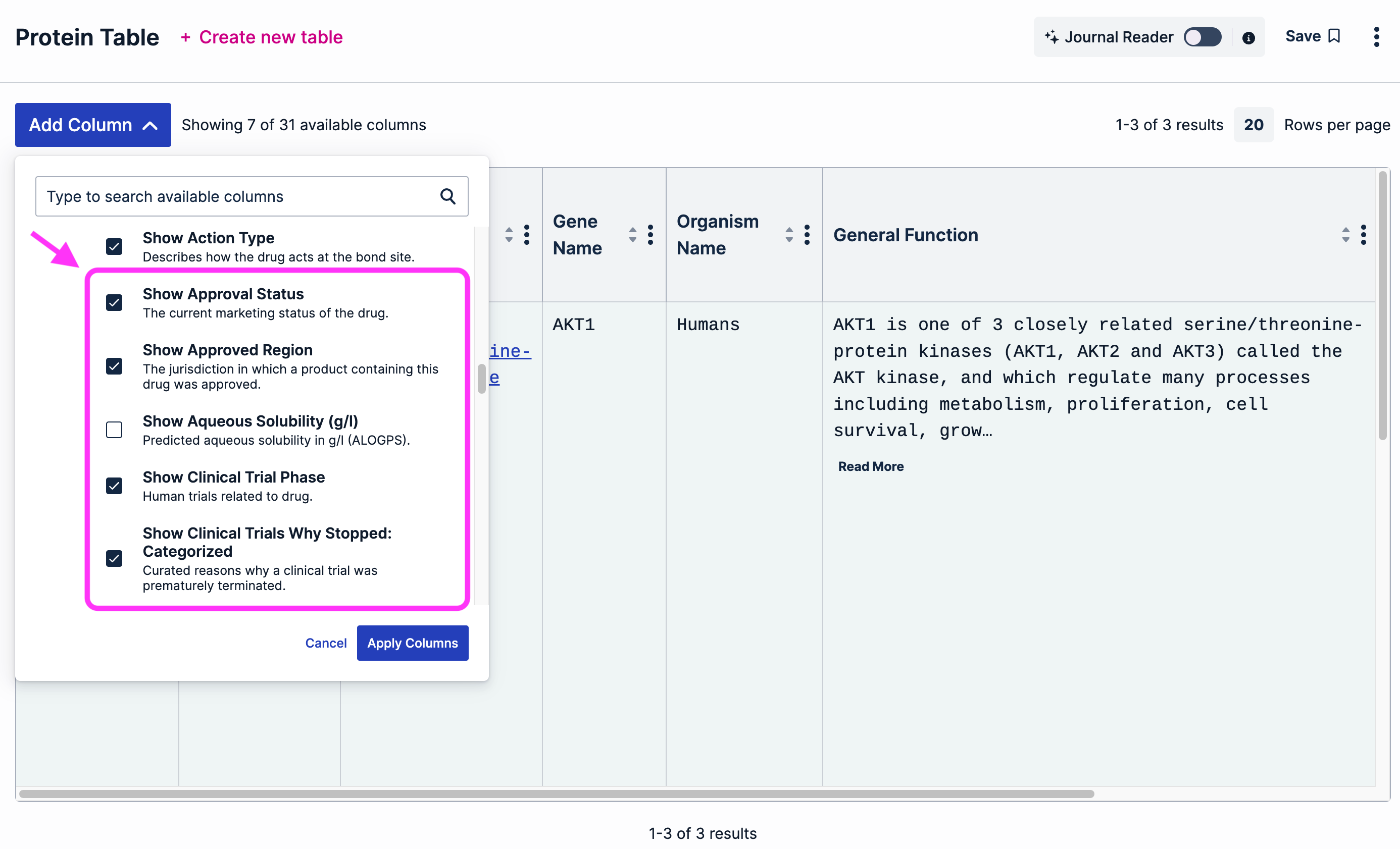
Since we are interested in the approval status and clinical trial performance of each of these drugs, we will add the following columns using the “Add Column” button: Show Approval Status, Show Approved Region, Show Clinical Trial Phase and Show Clinical Trials Why Stopped: Categorized. Click the “Apply Columns” button to update the table layout:
We can see that, at the time of writing, only one of the drugs included in this list (capivasertib) has been approved. Also, there are experimental drugs such as A-674563 that have not been evaluated in clinical trials. Since the researcher in our scenario above is interested in learning more about drugs that have clinical data available, we can apply another filter and select only those drugs that have been evaluated in phase 1, 2 or 3 clinical trials:
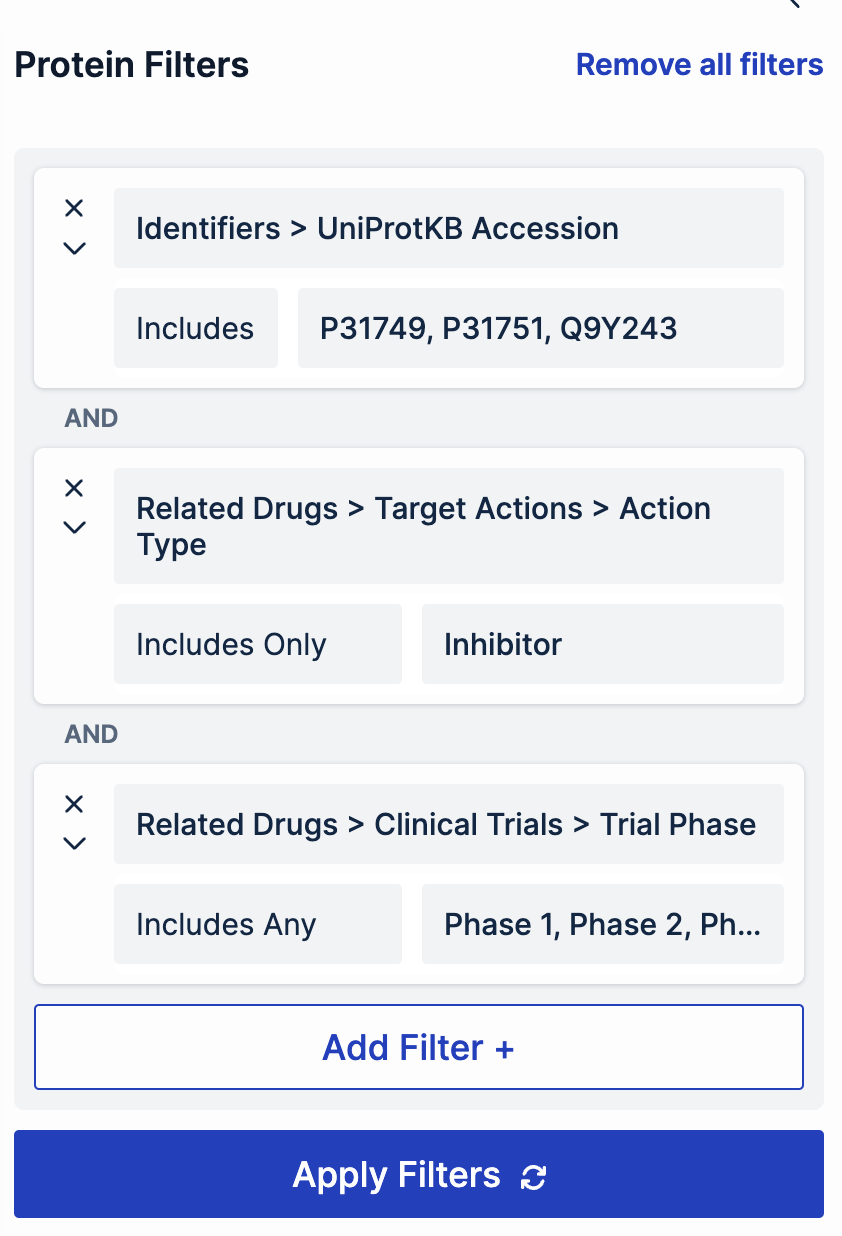
Now, the researcher in our scenario can open the drop-down menus in each of the clinical trial phases to go through the clinical trials that have been performed. Clicking on an NCT will open a quick view of that clinical trial:
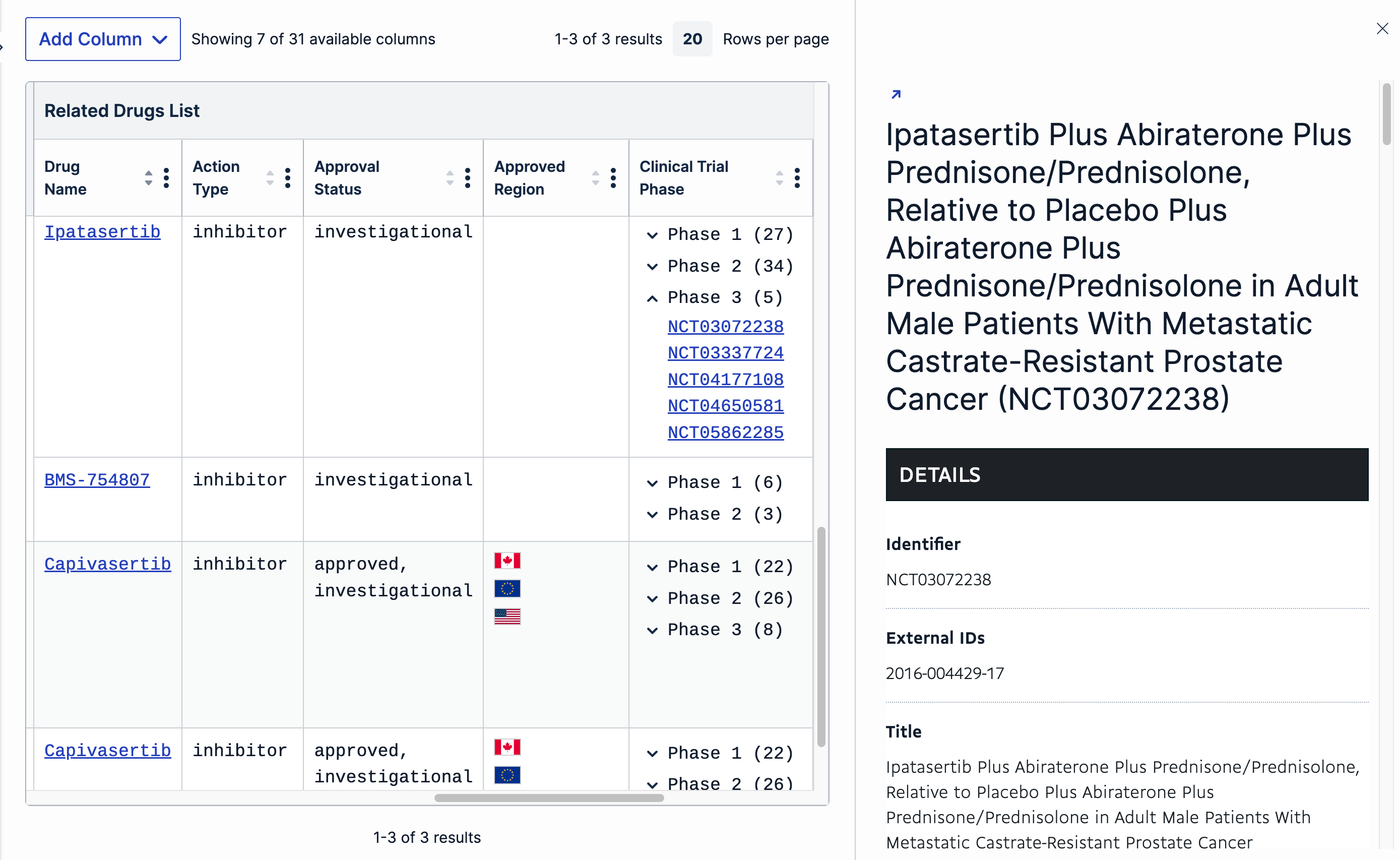
The arrow on the left top corner of the quick view will open the page specific to this NCT in a new tab.
💡The researcher focused on Akt has now gathered lots of highly specific, relevant and reliable information that, otherwise, would have taken her a lot longer to find. Based on the information obtained using the Table Builder, the researcher now decides to create a new table starting from Diseases, and add a filter that includes only Akt inhibitors with relevant clinical evidence.
The flexibility offered by the Table Builder enables researchers to continue exploring and building valuable insights.